
The work you do every day, connected.
FollowThrough organizes your business into connected dashboards inside one workspace. When your clients, projects, money, and marketing sit together, you can see how one affects the next and share the work with your team.

How your dashboards work together
Bring the accounts you already use
Connect your Google or Outlook calendar and email, your Stripe or Square, and your own sending domain. Those accounts stay yours.
Meetings that lead somewhere
Meetings can be transcribed and summarized, and the follow-ups and action items are tracked for you.
One shared workspace for your team
Everyone works out of the same workspace, with the access you give them, from a solo operator up to a team or agency.
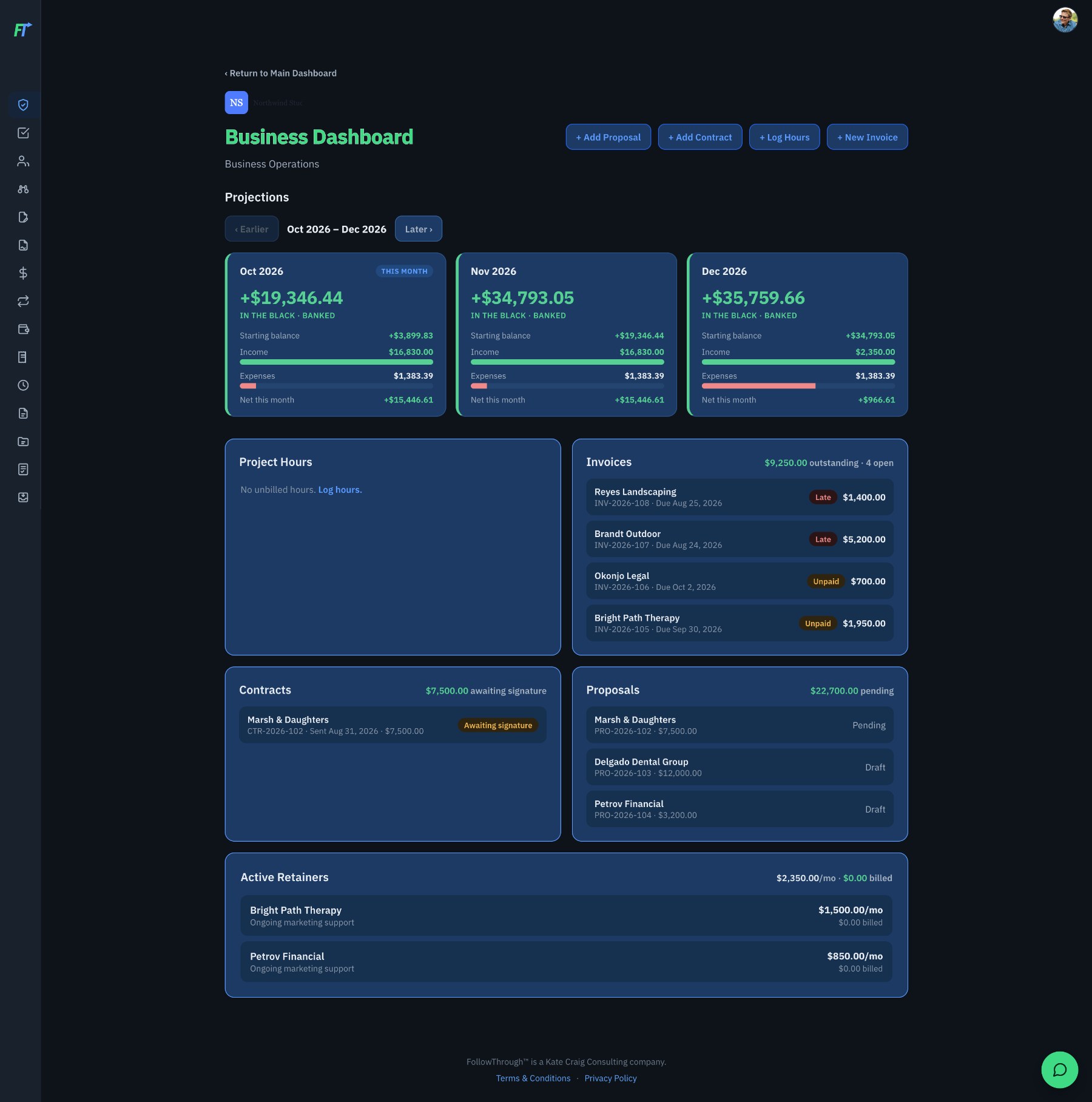
Business Dashboard · Projections, invoices, contracts, proposals, and retainers in one view.
Sample data shown.
What’s inside, by the work you do
Which dashboards come with each plan depends on the tier. Starter includes nine core dashboards with optional add-ons; Standard and above include every dashboard. Compare plans.
Clients & Sales
Keep relationships moving from first conversation to signed agreement.
- CRMClient and contact records in one place.
- Sales pipelineSee where each opportunity stands.
- ProposalsBuild and send proposals, with optional AI drafting help.
- ContractsPrepare agreements, with optional AI drafting help.
Projects & Time
Plan the work, schedule it, and keep track of what was agreed.
- Project managementTasks and timelines for client work.
- Business projectsTrack the internal projects that grow your business.
- Calendar schedulingLet people book time, connected to your Google or Outlook calendar.
- Time-blockingSet aside time for the work that matters.
- Meeting transcriptionOptional AI-assisted transcripts and summaries, with follow-ups tracked.

Money
Bill clients, follow spending, and look ahead, connected to your own Stripe or Square.
- InvoicingCreate and send invoices.
- Budgeting & expendituresSet budgets and record what you spend.
- Revenue trackingFollow the money coming in.
- Business projectionsPlan ahead without a separate spreadsheet.
- ReportsPull your numbers together in one view.
Marketing & Outreach
Stay in touch with customers, supporters, and your community from your own sending domain.
- Email marketingNewsletters and campaigns to your list.
- Texting (SMS/MMS)Included on Professional and up; an add-on on Starter and Standard.
- Social media managementManage your social channels in one place.
- Event registration & ticketingTake sign-ups for workshops, classes, and gatherings.
- SurveysAsk your audience what they think.
- Links & QR codesBranded links, link shortening with click tracking, and QR code generation.
Planning
Give your ideas and long-term goals a home next to the daily work.
- Strategic planningSet goals and map out how you’ll get there.
- Mind mappingSketch out ideas before they become projects.
An assistant that gives you back time for your people.
Your clients, your team, and your community are why you do this work. The AI Assistant takes on the reading, sorting, and first drafts in between, so more of your day goes to them. You stay in charge of every relationship: it suggests, and you decide.
Included in Professional and Business, and an add-on on Standard. See pricing.

Replies that sound like you
It drafts replies to your email from samples of your own writing, so they read the way you would write them. Each one waits in your Drafts for you to read, change, and send.
Nothing slips through
When an email asks you for something or sets a deadline, it suggests an action item, so a promise made in passing still gets kept.
Receipts, already logged
Receipts and invoices that arrive by email are proposed as expenditures, with the receipt saved alongside, ready for you to add.
Every new person, remembered
People who email you, including anyone copied and whoever fills out a form on your website, are proposed for your CRM. A phone number or title in a signature is offered for the contacts you already have.
Newsletters, written with you
Tell it what this issue is about, and it drafts the newsletter in your voice for you to shape and send.
Your day, ready when you are
What it found waits for you on your Summary Dashboard each morning, so you start with the people who need you rather than an inbox to sort.
- Nothing is sent without you.
- You review every suggestion, and keep or dismiss it.
- Your writing samples stay private to you.
- An admin can turn AI off for the whole account at any time.

Good to know
No technical skills needed
If you can use email and a calendar, you can use FollowThrough.
AI is optional
Transcription, summaries, drafting help, and the AI Assistant are AI-assisted. Everything else works whether you use them or not.
Your data stays yours
Your connected accounts remain your own, and your FollowThrough data can be exported at any time.
See it with your own business in mind.
A demo walks you through the features that matter most to your work and answers your questions, so you can picture FollowThrough running your business.